Your advice library

Still relearning ?

Stop forgetting the advice that resonates. Keep it top of mind with Rudder.

You’ve learned this before.

It didn’t come to mind in the moment.

How it works

Whatever you want on your mind, Rudder keeps it there. It has four parts: a Library of your advice, reminders that arrive as questions, practices you run on purpose, and a chat for choices bigger than a reminder.

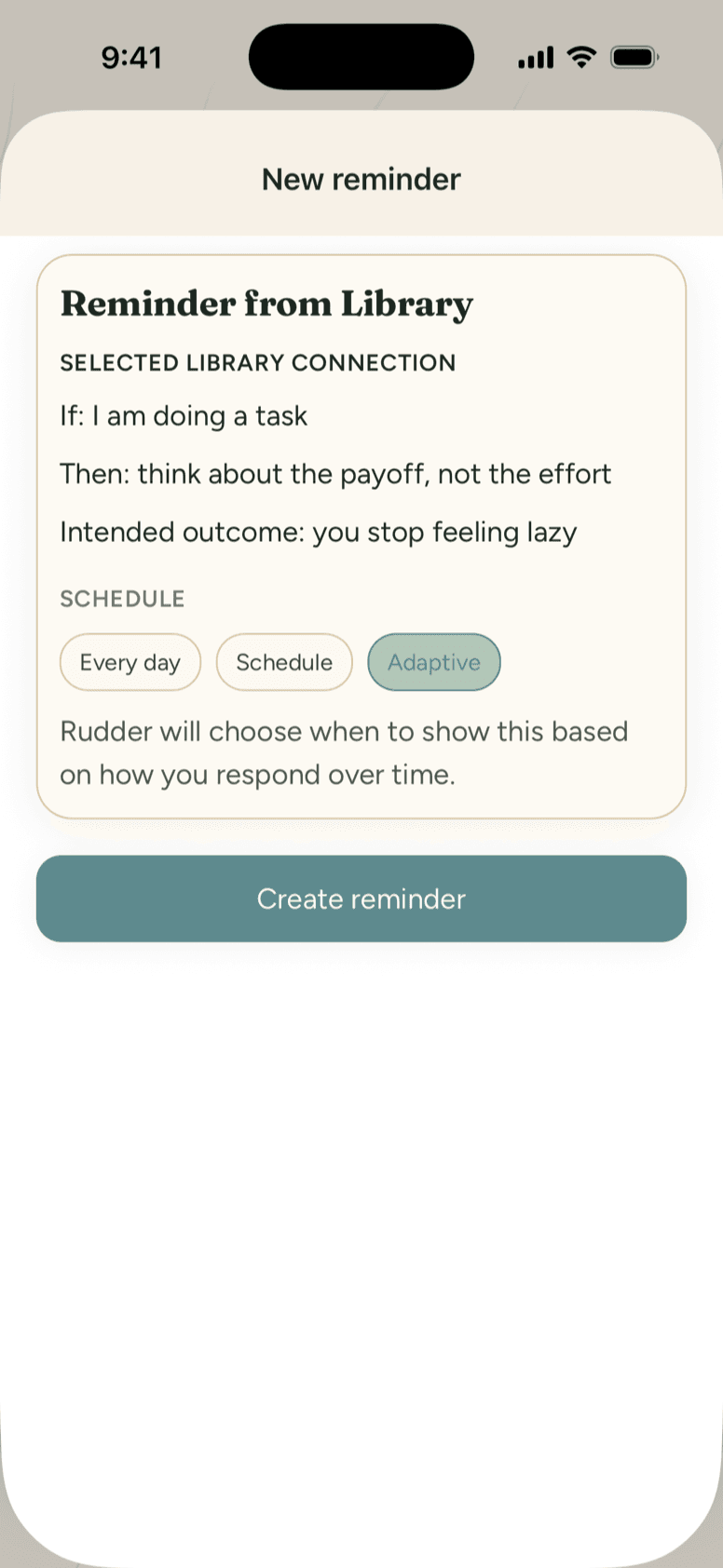
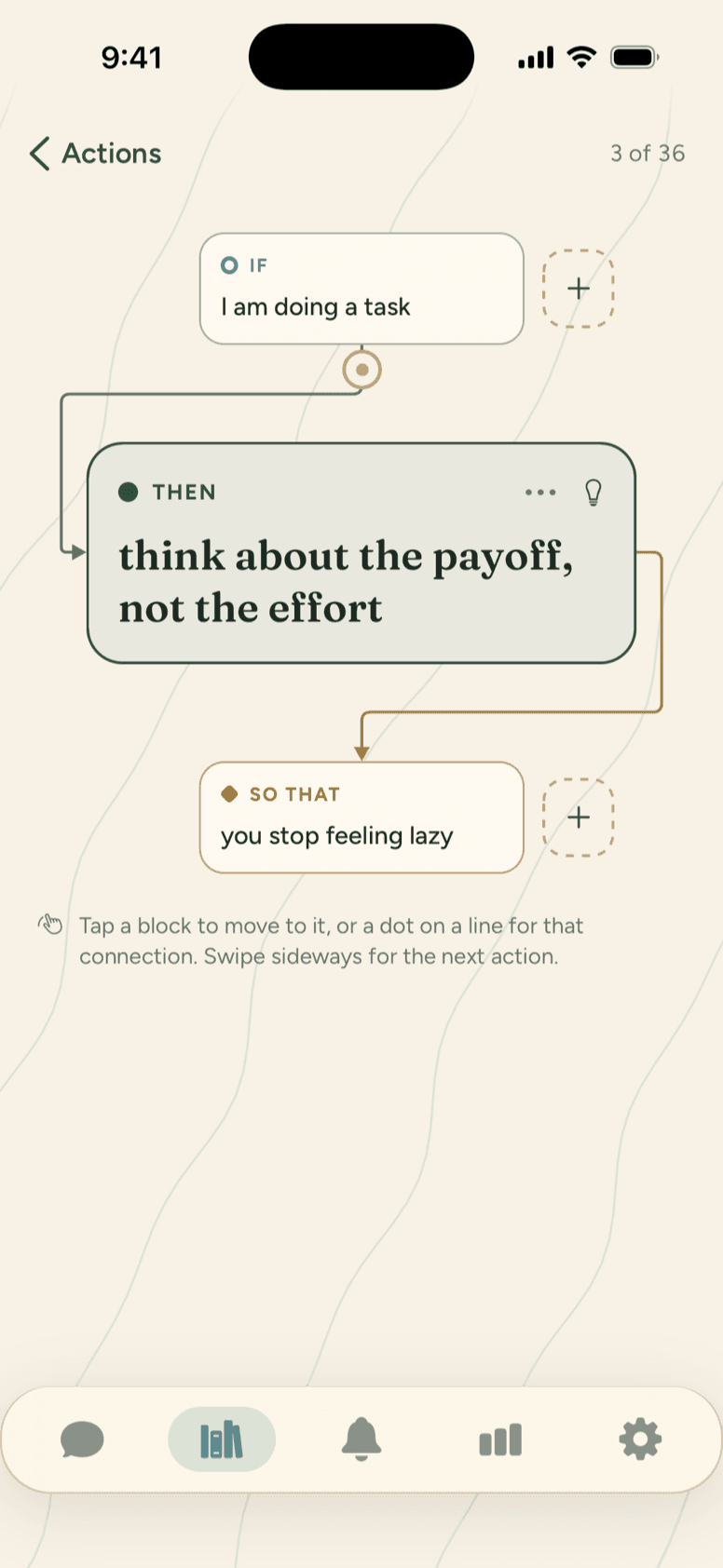
Saved advice in the Rudder Library: if I am doing a task, then think about the payoff, not the effort, so that you stop feeling lazy
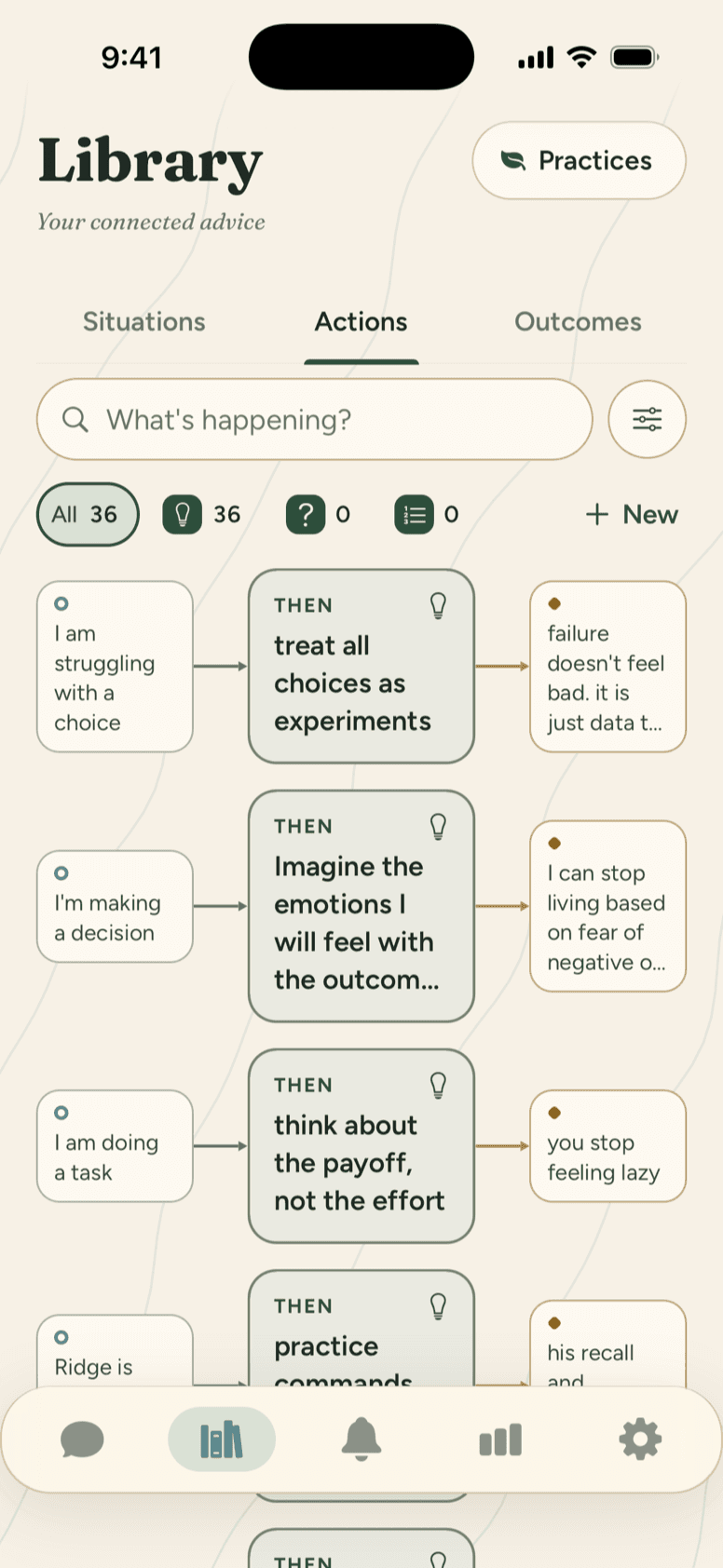
The Rudder Library by action: each saved action with the moment it is for on the left and what it helps you do on the right

Library

Keep it in one place

  • Import the notes you already keep; Rudder’s AI turns the advice in them into cards for you to check before anything is added
  • Save advice as a moment, what to do, and why it matters to you
  • See every action with the moments it’s for and what it helps you do
  • Edit any card, and see which part of your notes it came from

Reminders

Your advice comes back as a question

  • Each reminder arrives as a question, because recalling an answer yourself helps you remember it
  • The timing adapts: ask to see one more or less often, and Rudder adjusts
  • A daily question gets you thinking ahead, in the direction you choose
  • Or set a time yourself, and pause or retire any reminder in a tap

Practices

Turn what works into a ritual

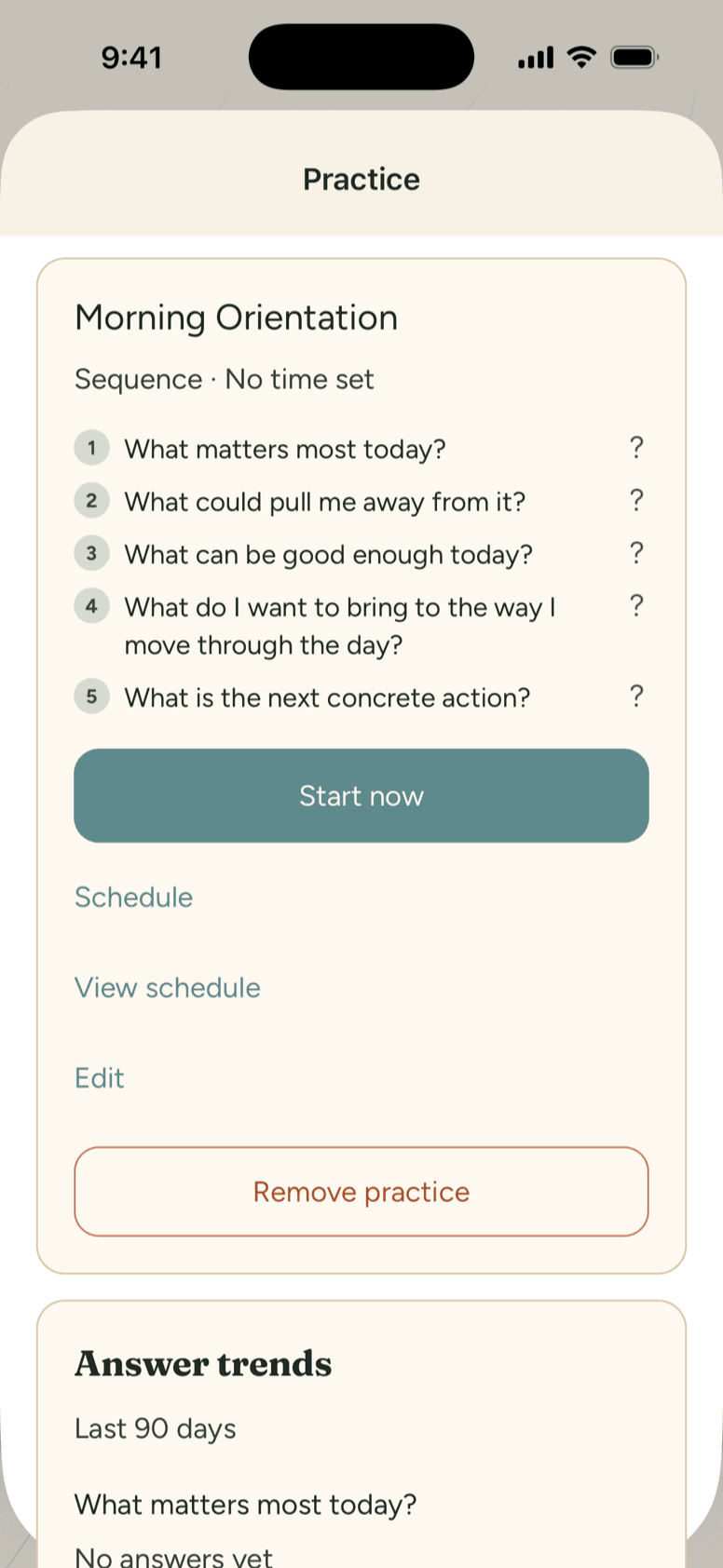
  • A few questions you run on purpose, morning or evening
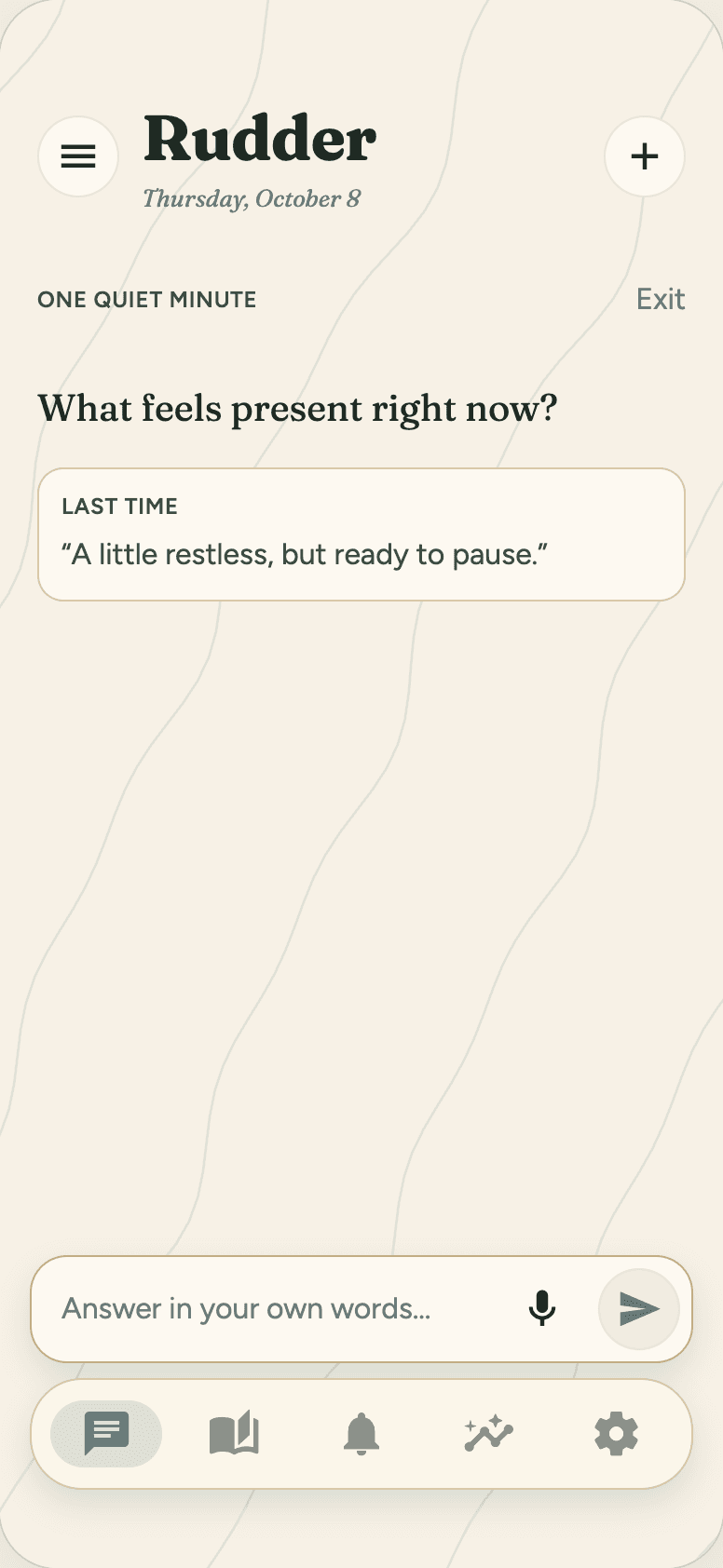
  • Your last answer sits beside each question, so it builds
  • Schedule it, or keep it for when you need it

Chat and decision trees

Work through what gets in the way

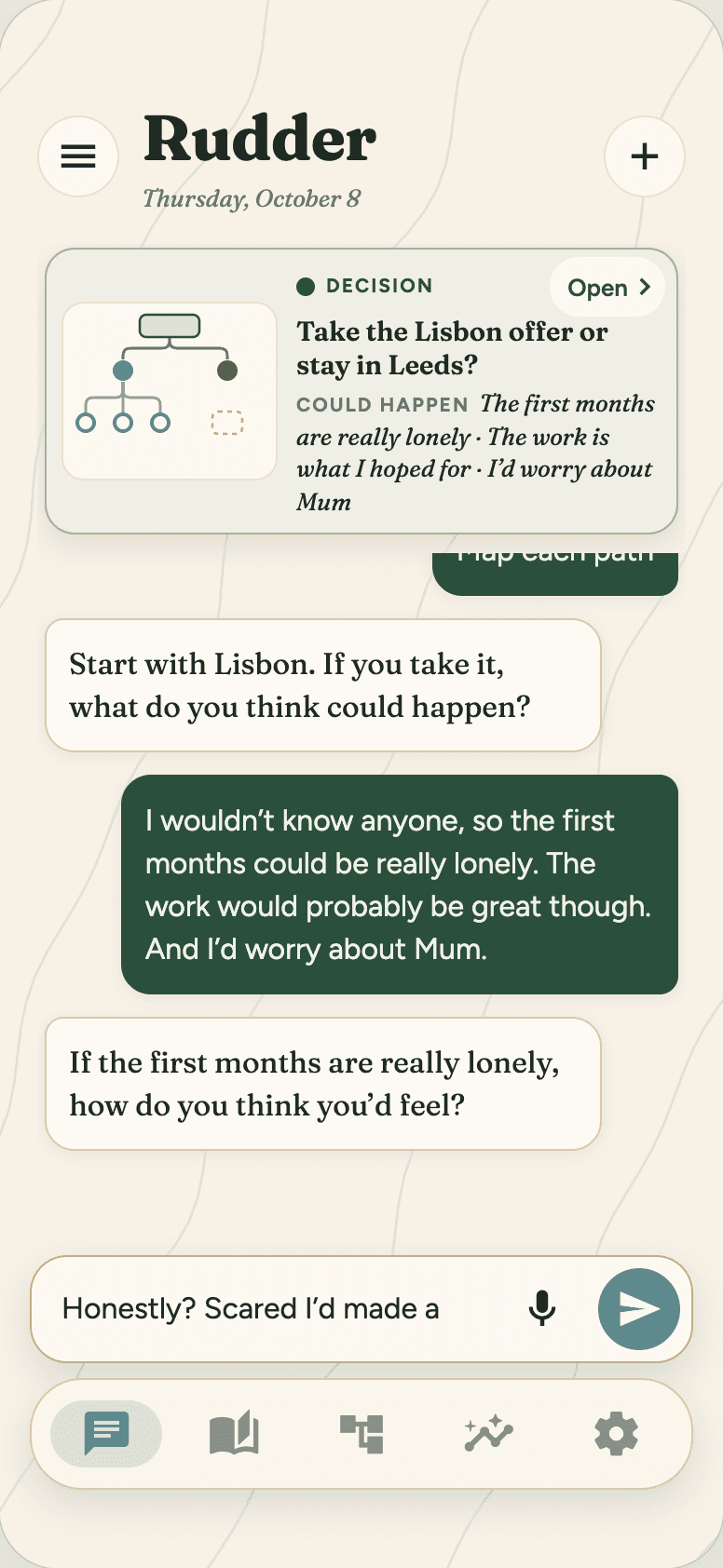
  • Start in Chat: Rudder asks one question at a time about the choice
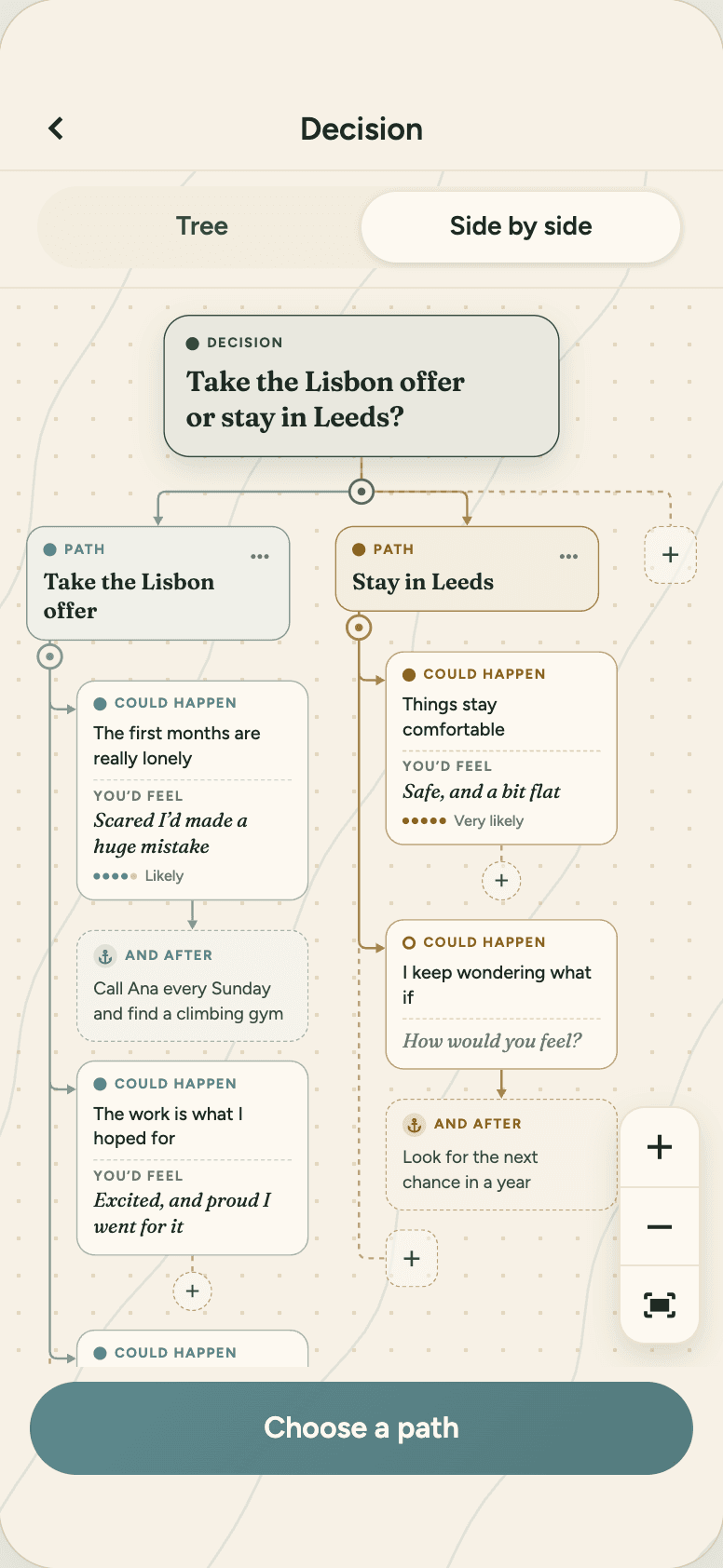
  • See it as a tree: each path, what could happen, and how you’d feel
  • Choose, then check back on how it went

You don’t need more advice.

Rudder asks the questions that help you work it out yourself, and keeps what you learn. It gives advice only if you ask for it.

A chat that asks instead of tells

Talk something through and Rudder asks the question underneath it, so you reach your own answer. When something clicks, save it to your Library in a tap.

A heading you choose

Write down who you’re steering toward, in your own words. Rudder can bring it back in the morning, and it never changes it without asking.

A minute a day, a look back each week

A short daily check-in and a weekly reflection. Skip either one any day. Nothing counts against you.

Insights that stay in your words

See which advice you’ve reached for and which parts of your life have come up most. Counts and your own words, never a grade.

What Rudder won’t do.

No streaks, scores or guilt.

A missed day is just a day. Stopping is a feature.

Nothing goes in your Library without your OK.

Rudder’s AI can write cards from your notes. You read and edit each one before it’s added.

No advice unless you ask.

Rudder asks questions. The answers are yours.

No pretending to be therapy.

It is a tool for thinking, not diagnosis or treatment.

No selling what you write.

It’s encrypted in transit and at rest, and you can delete your account and everything in it.

Why I built Rudder

I write things down: lines from books and things I worked out myself. I went back through those notes and found one realization written down 15 times: frustration is the key to growth. I hadn’t noticed until I counted.

I didn’t need a sixteenth note, or another podcast to tell me again. I knew what to do. It was hard to recall while I was frustrated, which is when I need it.

Rudder keeps what I already know and asks me about it. It won’t give advice unless I ask. Since I started using it I listen to fewer podcasts, which leaves me room to think for myself. The Library on this page is mine.

Liam, founder of Rudder

Questions

What is Rudder?
Rudder is a mobile app that helps you curate your attention and actually remember the advice that has helped you. You write advice down in a Library, and Rudder brings it back as questions. It helps you work through difficult decisions, follows up on the commitments you make, and keeps track of all of it. You can run practices as well as save advice, and a daily question helps you be intentional about your day.
Who is it for?
You, if you keep finding you’re learning the same lesson again and want to actually apply it to your life. You probably write things down already, in a journal, a notes app or after a therapy session.
Why not use notes and phone reminders?
Together they’re clunky. Your notes don’t turn into reminders, and you manage every reminder yourself. A static reminder shows the same words each time, so you stop seeing it. Rudder’s reminders adapt and mix in some randomness to keep them fresh, and Rudder manages them for you. Notes wait for you to open them; Rudder brings up what’s relevant to the moment you’re in and helps you follow through on it.
Can I bring in the notes I already have?
Yes. Import your notes and Rudder’s AI breaks the advice in them into cards: if this happens, then do this, so that you get this outcome. You read and edit each card before it goes in your Library, and every saved card shows the passage it came from.
Does Rudder give advice?
Only if you ask. Rudder asks questions so you reach your own answer, and you decide what goes in your Library.
Is Rudder therapy?
No. Rudder is a tool for thinking and curating your attention, and you can use it alongside therapy. It doesn’t diagnose or treat anything.
When can I use it, and what does it cost?
Rudder is in early access, starting with an iPhone test build. Sign up to be a tester and we’ll email you the test build. We haven’t set a price yet.
Keep what helped you. Use it when it counts.

You already bought the books and paid for the sessions. Sign up to be a tester and we’ll email you the iPhone test build and an invite to our Discord. After that, we write when there’s something new to try.

Tell us what you keep relearning